Goodbye Photoshop? Ten everyday image edits done with Gemini Nano-Banana prompts
Forget layers and tool palettes. Ten common image-editing jobs, from cutting out a background to style transfer and outpainting, each with the traditional Photoshop workflow and the single Nano-Banana prompt that replaces it.
The end of one era, the start of another
For a long time Adobe Photoshop ruled the creative world. Mastering it was like mastering a secret martial art. But for most people, the dense toolbars, the bottomless layers panel and the steep learning curve were a mountain they never climbed.
That is changing fast.
Welcome to the AI-native creative era. Models like Gemini Nano-Banana are democratising complex image editing. You no longer need to memorise a hundred shortcuts or sit through long tutorials. You need a clear idea and the ability to say it in plain language: a prompt.
This post is a key to that new world. Through ten of the most common image-editing tasks, it shows how a simple prompt does what used to take hours of learning and clicking. Let’s watch Photoshop “die” and see what replaces it.
Ten core editing tasks
1. Perfect cut-outs: removing or replacing the background
- Scenario: you took a great product photo but the background is a mess. Or you want a more interesting backdrop for a portrait.
- The Photoshop way: the pen tool, channels, magic wand or quick selection, carefully building a selection, refining the edge, then isolating the subject. Hair is a time sink.
- The Nano-Banana prompt:
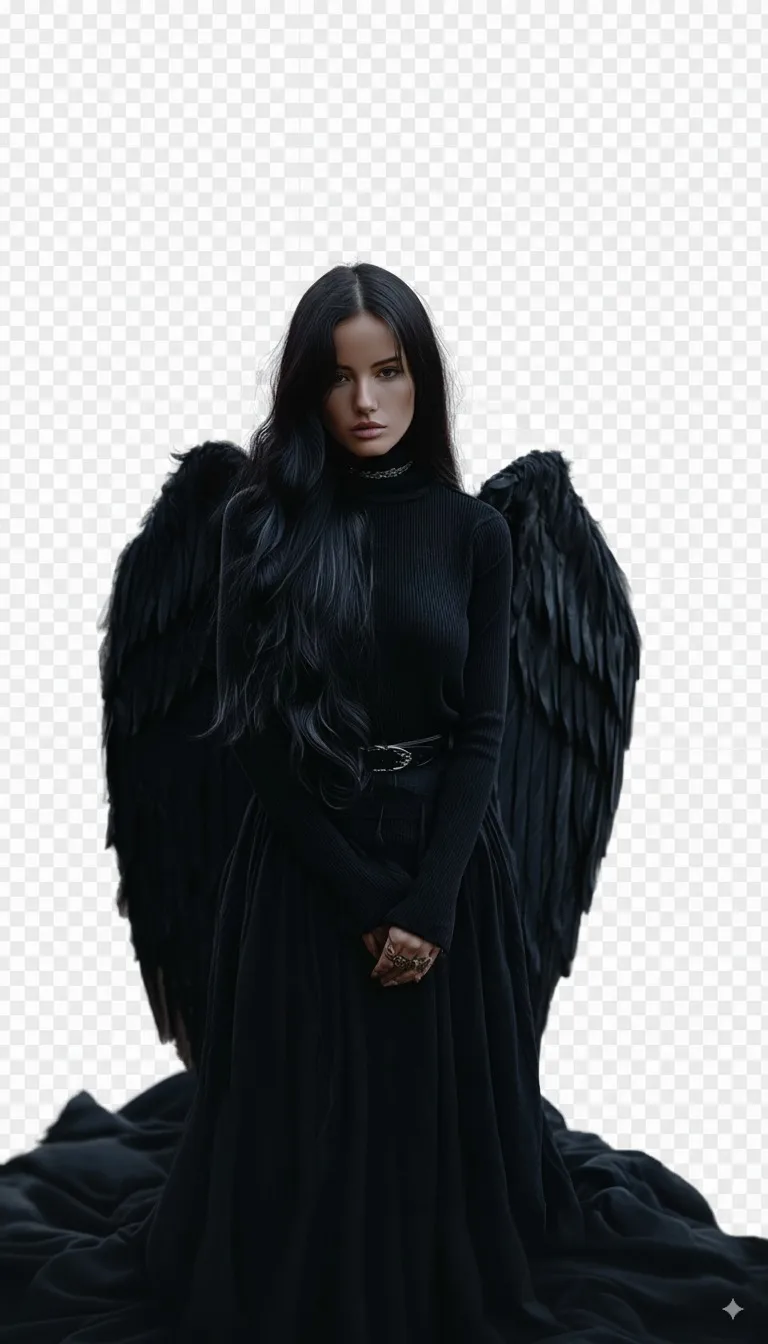
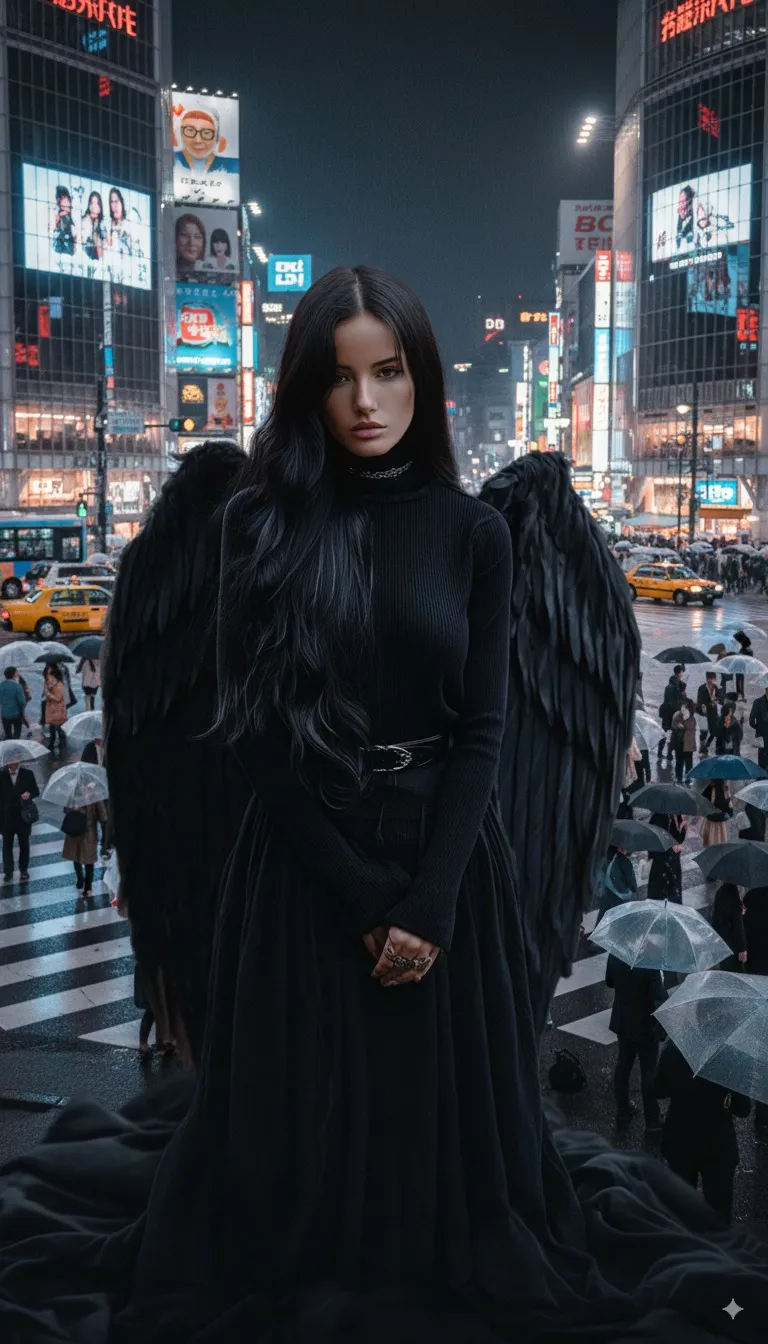
Prompt 1 (remove):
"Remove the background behind the person in this image completely and make it transparent. Keep the edges of the hair clean and natural."Prompt 2 (replace):"Select the woman in the image and replace the office behind her with the busy Shibuya crossing in Tokyo at night. Match the lighting and blend her edges naturally."

2. Precise recolouring: changing an object’s colour
- Scenario: you’re a designer who wants to show a client the same product in several colours. Or you just want to see whether your car looks better in another colour.
- The Photoshop way: a hue/saturation adjustment layer, a mask to limit its reach, and repeated tweaking to get the colour right.
- The Nano-Banana prompt:
"Keep everything else in this image unchanged and turn the black clothing into a deep dark red. Preserve the folds and the light and shadow on the fabric."

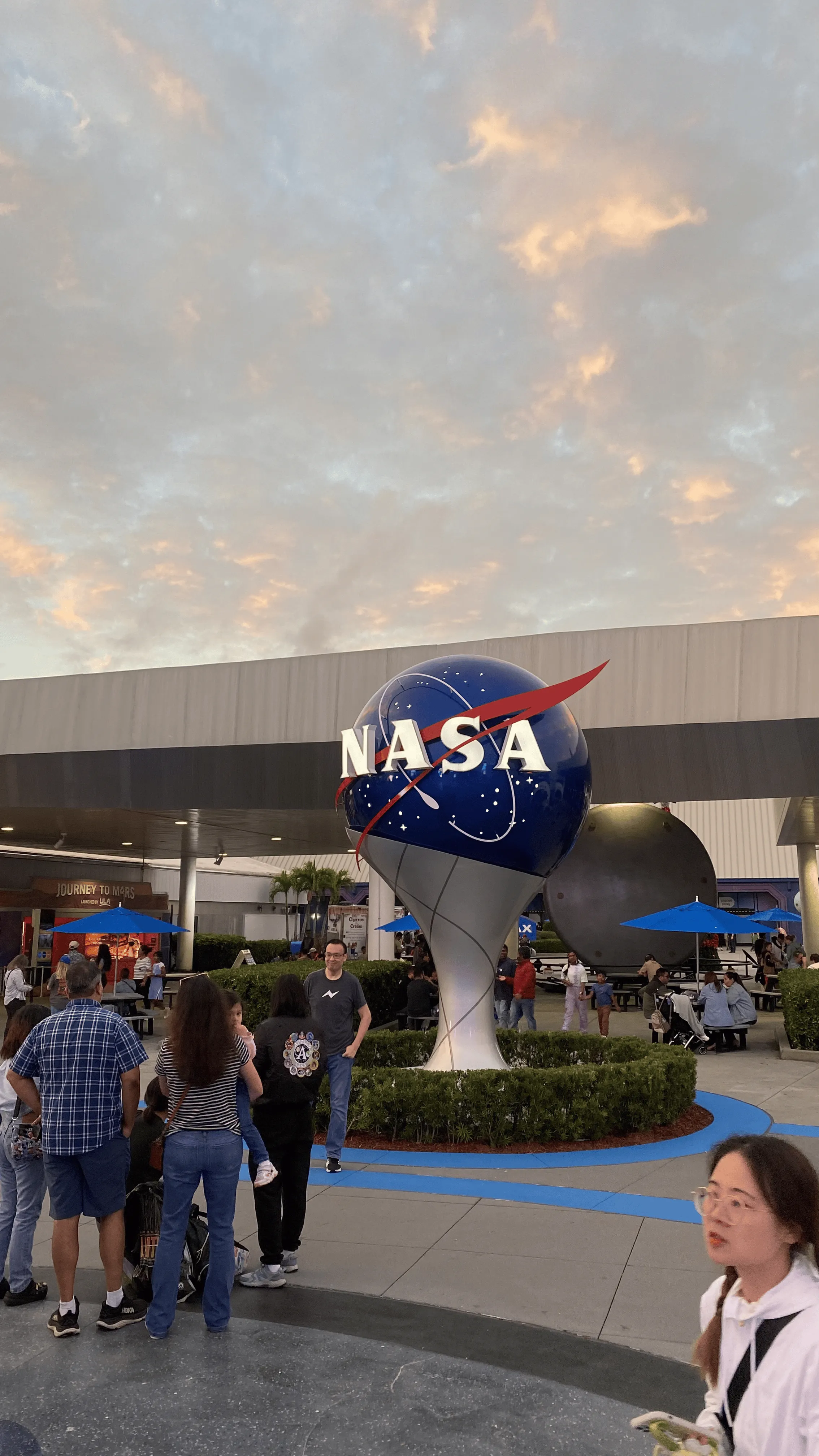
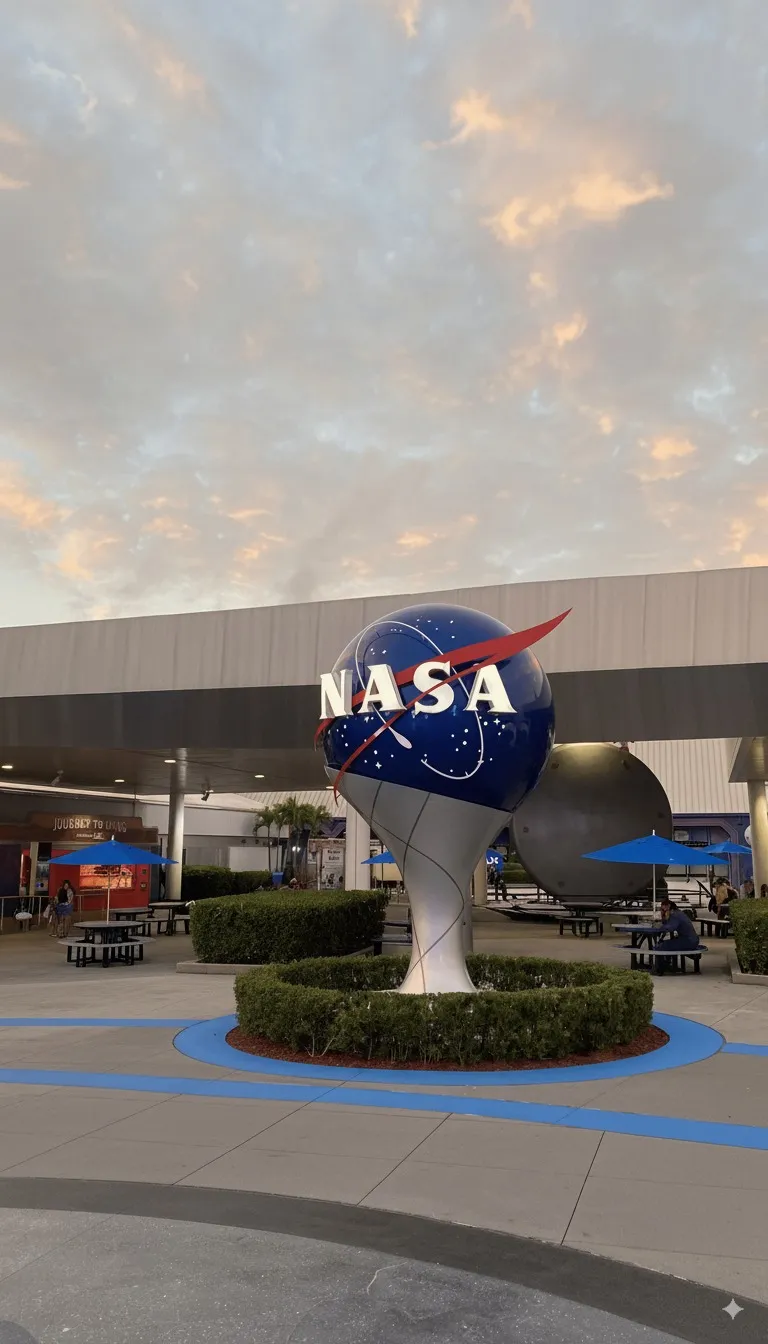
3. Seamless clean-up: removing passers-by and clutter
- Scenario: there are always a few strangers in the way of a landscape shot.
- The Photoshop way: clone stamp, healing brush or content-aware fill, painting the unwanted objects out bit by bit while keeping texture and light continuous.
- The Nano-Banana prompt:
"Remove all the other tourists from the photo and keep only the buildings."
4. Smart relighting: adjusting light, colour and contrast
- Scenario: a photo taken at dusk looks grey and flat. You want it to come alive.
- The Photoshop way: curves, levels, brightness/contrast and vibrance adjustment layers, balanced together to fix exposure and colour.
- The Nano-Banana prompt:
"Boost the vibrancy of this landscape photo. Make the overall light brighter, like warm golden-hour light. Increase colour saturation so the sky is bluer and the grass greener, while making sure no details blow out."
5. Style transfer: a master’s painting in one step
- Scenario: you want to turn an ordinary street photo into a futuristic cyberpunk piece for a social media avatar.
- The Photoshop way: this takes real artistic skill and heavy use of filters, brushes and blend modes. For most people it is effectively impossible.
- The Nano-Banana prompt:
"Turn this night-time city photo into a cyberpunk style. Add lots of neon billboards, give the street a rain-soaked reflective look, and put a few futuristic flying vehicles in the sky."
6. Creative additions: putting new elements into a picture
- Scenario: a cute cat photo that would be perfect with a silly birthday hat on its head.
- The Photoshop way: find a suitable asset, cut it out, adjust size, angle and lighting, and blend it in.
- The Nano-Banana prompt:
"Add a small red-and-white striped birthday hat on top of the white cat's head in this image. The lighting on the hat should match the lighting on the cat's face."
7. Portrait retouching: natural skin
- Scenario: an important portrait where you want temporary blemishes gone without ending up looking like a mannequin.
- The Photoshop way: healing brush for spots, then frequency separation, dodge-and-burn or similar techniques to smooth skin while keeping real texture.
- The Nano-Banana prompt:
"Do a gentle skin retouch on this portrait. Remove the spots on the forehead and chin, soften the fine lines at the corners of the eyes, and make the skin look smoother and cleaner overall, but keep the natural skin texture and the moles."
8. AI outpainting: extending the frame
- Scenario: you love a portrait-orientation photo but want it as a widescreen wallpaper. You need the AI to “paint” what lies beyond the edges.
- The Photoshop way: content-aware fill can try, but the results are usually poor; a good result needs advanced compositing.
- The Nano-Banana prompt:
"Extend this 3:4 mountain-top photo to the left and right, generating continuous mountain ranges and a sea of clouds that match the original scene, and output a 16:9 widescreen wallpaper."
9. Changing expressions: bringing a face to life
- Scenario: a perfect team photo, except the colleague in the corner looks half asleep.
- The Photoshop way: extremely fiddly work with the liquify tool, or transplanting features from another photo, and the result often looks wrong.
- The Nano-Banana prompt:
"Without changing the person's identity or features, give the man in the blue T-shirt in the back row a relaxed, natural smile."
10. Artistic lettering: text that belongs to the scene
- Scenario: you want to add a title to a forest image, with the letters looking as if they were made of trees and vines.
- The Photoshop way: the type tool, layer styles, texture overlays and a lot of brush work to make the text sit inside the environment.
- The Nano-Banana prompt:
"In the centre of this deep-forest image, add the words 'Secret Woods' in lettering made of glowing magical runes and vines. Make the text look like it grew naturally out of the environment."
Conclusion: your imagination is the only limit
Ten small miracles. Work that used to need professional skills and hours of effort now takes a few clear sentences.
This does not mean Photoshop is truly dead; in some highly specialised fields it still has its place. But for the vast majority of us, a new, more intuitive and more efficient creative era has arrived.
The real change is that the technical barrier is falling. What stops you creating is no longer “I don’t know how to use that tool” but “how do I describe what I have in mind”. The core creative skill is shifting from mastery of tools to mastery of ideas and language.
So go and try it. Describe the picture in your head, in your own words. In this new era, your imagination is the only limit.
中文版.